
Summary and Setup
This lesson teaches how to analyse microbiome data together with other data types, such as metabolites and host biomarkers, measured from the same samples. Using data from a diet experiment in rats, you will learn to store several data tables in one object, to test whether they are related, to find the shared patterns in them, and to predict an outcome from all of them.
The lesson assumes that you can already analyse a single microbiome table, for example from the microbiome lesson (see the prerequisites below). It uses the OMA framework, a family of R/Bioconductor packages for microbiome data science, together with other Bioconductor packages for multi-omics. After the lesson, you can continue learning with the online book Orchestrating Microbiome Analysis (OMA).
Learning objectives
After this lesson, learners will be able to:
| Learning objective | Episode |
|---|---|
| Explain what multi-omics data is, why the microbiome is studied together with other data types, where the data comes from, and which questions the main groups of integration methods answer. | Introduction |
Store, explore, subset and prepare several data types of the same
samples in a MultiAssayExperiment. |
MultiAssayExperiment and the study data |
| Test whether two data types are related, and find the features that link them, with the Mantel test, MiRKAT and pairwise associations. | Exploratory methods |
| Find the main patterns that several data types share with joint RPCA and MOFA. | Unsupervised methods |
| Predict an outcome from several data types and find the features that predict it with IntegratedLearner and DIABLO. | Supervised methods |
Where does this lesson fit?
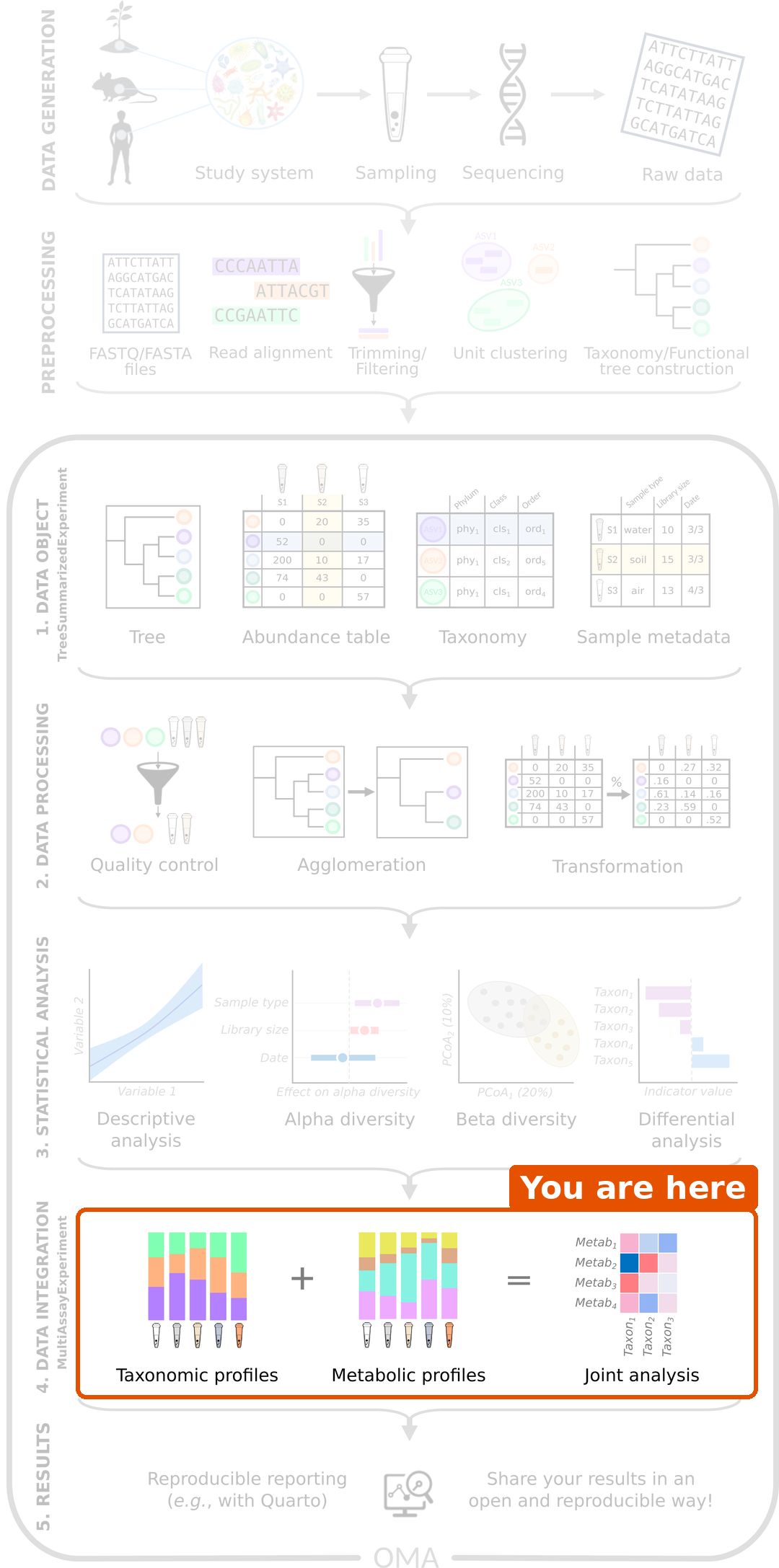
A microbiome study goes from collecting samples and sequencing them, through processing the reads into tables, to analysing the tables. The analysis of one table covers the data object, data processing and statistical analysis. This lesson covers the next step: data integration, where the microbiome is combined with other data types.
The data
We analyse samples from 40 rats that were fed one of four diets: a high-fat or a low-fat diet, with or without a prebiotic supplement called xylo-oligosaccharides (XOS) (Hintikka et al. 2021). For every rat, the data contains three tables: the gut microbiota (16S rRNA sequencing), metabolites (NMR spectroscopy) and host biomarkers. The data comes with the mia package, so there is nothing to download.
Prerequisites
- The microbiome
lesson, or equivalent experience: the
TreeSummarizedExperimentclass, agglomeration and transformation, beta diversity and ordination, and the basics of machine learning. - Basic R programming: data frames, factors, functions and simple
forloops. - Basic statistics: what a p-value and a correlation are.
Software
This lesson uses R and RStudio, together with a few R/Bioconductor packages.
Packages
We install the packages ourselves, step by step, so that you see
where each of them comes from. Run the commands below in the R console.
The installation can take several minutes. If R asks whether to update
other packages, you can answer a (all).
Package installers
Bioconductor packages are installed with BiocManager, and packages that are not yet in Bioconductor are installed from GitHub with remotes. Both come from CRAN:
R
install.packages(c("BiocManager", "remotes"))
The lesson needs the current Bioconductor release. Check your version with:
R
BiocManager::version()
Bioconductor and CRAN packages
BiocManager::install() installs packages from both
Bioconductor and CRAN:
R
BiocManager::install(c(
    "mia",                  # microbiome analysis and the example data
    "miaViz",               # microbiome visualization
    "MultiAssayExperiment", # container for multi-omics data
    "scater",               # PCA
    "UpSetR",               # UpSet plots of the samples
    "MOFA2",                # multi-omics factor analysis
    "mixOmics",             # DIABLO
    "randomForest",         # random forest, used by IntegratedLearner
    "ggplot2"               # plots
))
MOFA2 uses a few more packages for some of its plots and tests:
R
BiocManager::install(c("psych", "corrplot", "pheatmap"))
GitHub packages
The multiomics and IntegratedLearner packages are not yet in Bioconductor, so we install them from GitHub:
R
remotes::install_github("microbiome/multiomics")
remotes::install_github("himelmallick/IntegratedLearner")
Set up MOFA2
MOFA2 trains its models in Python. The first time you train a model, it installs its own Python environment. You do not need to install Python yourself, but this step can take 10 minutes or more, so please do it before the workshop. Run this code, which trains a small model on example data from MOFA2:
R
library(MOFA2)
model <- create_mofa(make_example_data()$data)
model <- prepare_mofa(model)
model <- run_mofa(model, outfile = tempfile(fileext = ".hdf5"),
                  use_basilisk = TRUE)
When it prints Training finished, you are ready.
Problems with the installation?
If a package fails to install, check that your R version is recent
enough with R.version.string, and try the installation
again. If the problem persists, ask for help before the workshop, so
that we can solve it together.
Project
Create a new RStudio project for the lesson (File → New Project → New Directory → New Project). The data comes with the mia package, so there is nothing to download.